Sometimes, Windows 10 or 7.8 users may experience a minor issue such as the battery icon disappearing. This can be detected by looking in the right corner of the screen at the taskbar tray.
By hovering over the battery icon, you can see how much charge is remaining and how long it will take for the battery to discharge. This feature allows you to inform the user and promptly charge the laptop.
What to do if the battery icon has disappeared Windows 10 and other OS?
Here is a brief algorithm of actions to eliminate this problem.
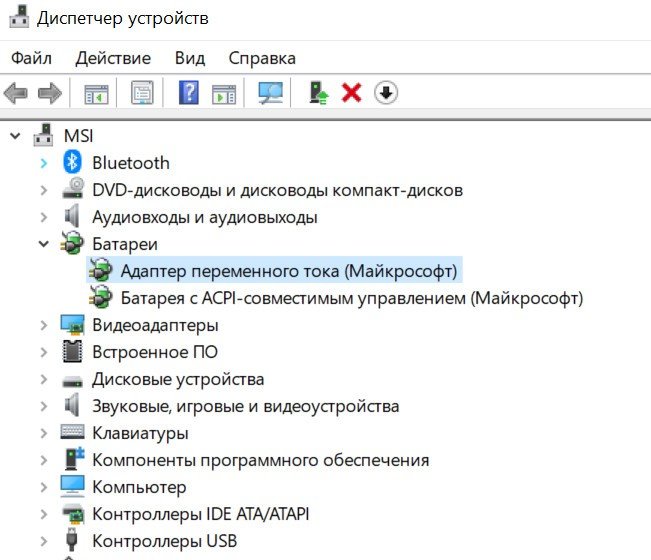
- Go to the Start menu or select the magnifying glass on the toolbar and type “Device Manager”.
- Double-click the left mouse button on this phrase and you will get to the menu we need.
- Open the “Batteries” item and right-click on the first one.
- If there is an option to disable it, turn it off!
- We do the same with the second battery.
- Next, we connect everything back, starting with the first power source.
- We reboot the computer. But usually the icon appears immediately.
There is another solution to the problem, for this we do the following:
- Go to the "System" item.
- Where it says "Notifications & actions," open this "Choose an icon." It appears in the taskbar.
- Now we just turn on the display.
Everything should work!
How to restore a missing battery icon on Windows 7 and 8?
A simple algorithm for resurrecting the current source indicator:
- Click the arrow in the notifications tray. It will say "Configure." Click that button.
- Next, click on the menu “Turn system icons on or off.”
- The current charge level will be displayed. You need to connect it.
So, if the battery icon is missing, just follow these steps.
How to check battery charge without an icon?
To do this, you'll need to go to the System menu. To get there, click the message icon in the lower right corner of the system tray.

Next, select “All parameters” and only after that the system item will open in front of you, which you also need to click on.

Select the "Battery" menu and review the basic data. You can adjust some settings to suit your needs.
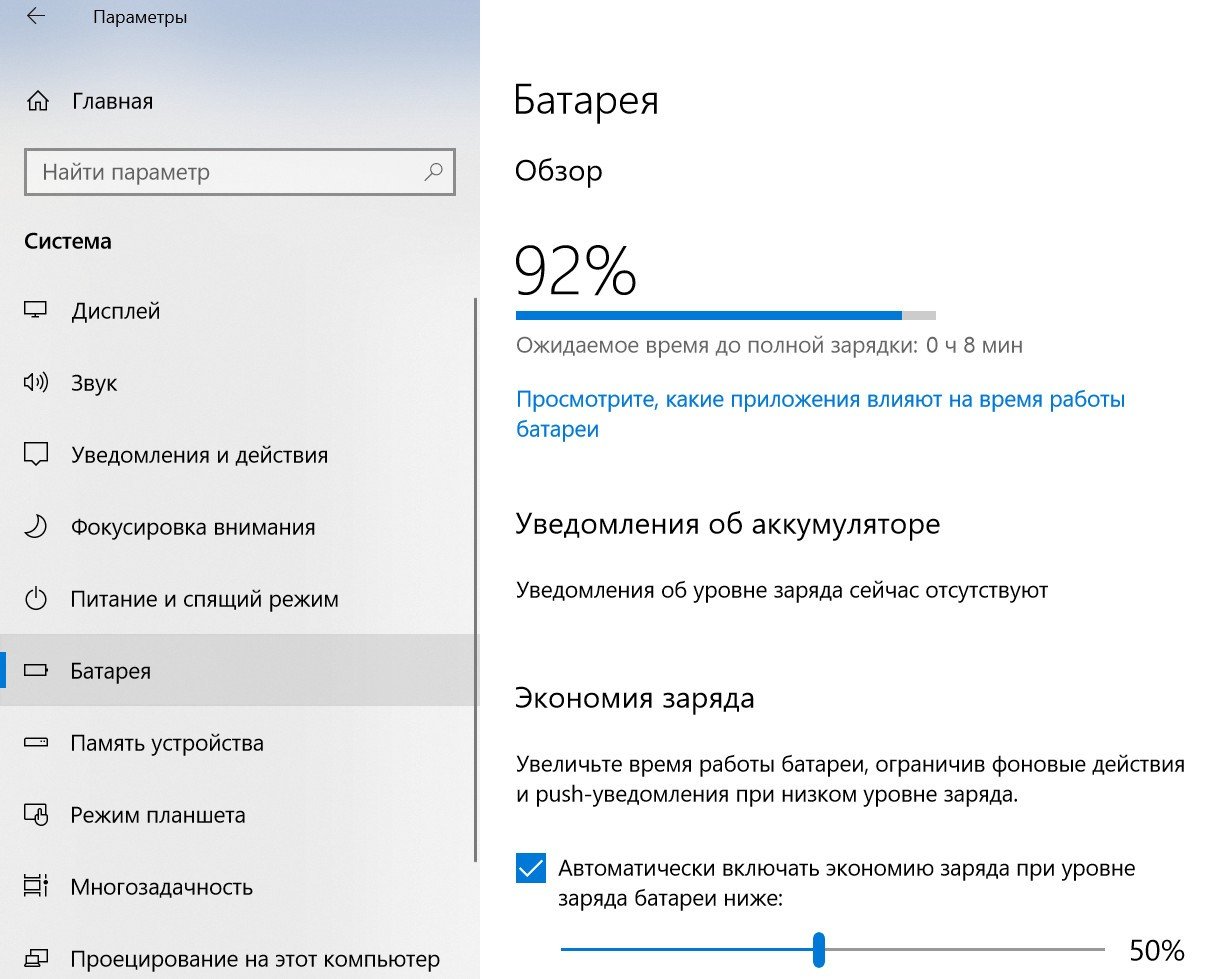
Not all operating systems may have a similar menu. However, the essence is the same.
What should you do if the battery is discharged and has already lost some of its capacity?
A few years after purchasing a laptop, its battery quickly dies for the simple reason that its capacity has noticeably decreased. This usually happens after 2-3 years of battery life. The tray may show capacity100%, but in fact it is equal to 50%.
In this case, the only solution is to replace the old battery with a new one.
If the battery isn't detected or the icon is missing, simply follow the tips in this article! Good luck!