Many people have to rack their brains to find a motherboard battery. The first question they ask is what type of power supply it should have. In fact, there are several types of batteries for this board. Today's article will answer the most pressing questions.
- What kind of battery is in the computer motherboard?
- What is the battery on a computer motherboard for?
- Will the computer work without a battery on the motherboard?
- How many volts is the battery on the motherboard?
- Motherboard battery size
- What does the battery look like on the motherboard?
- How long does the battery in the motherboard last?
- How to check the battery on the motherboard?
- Where is the battery located on the motherboard in a computer?
- When to change the battery on the motherboard?
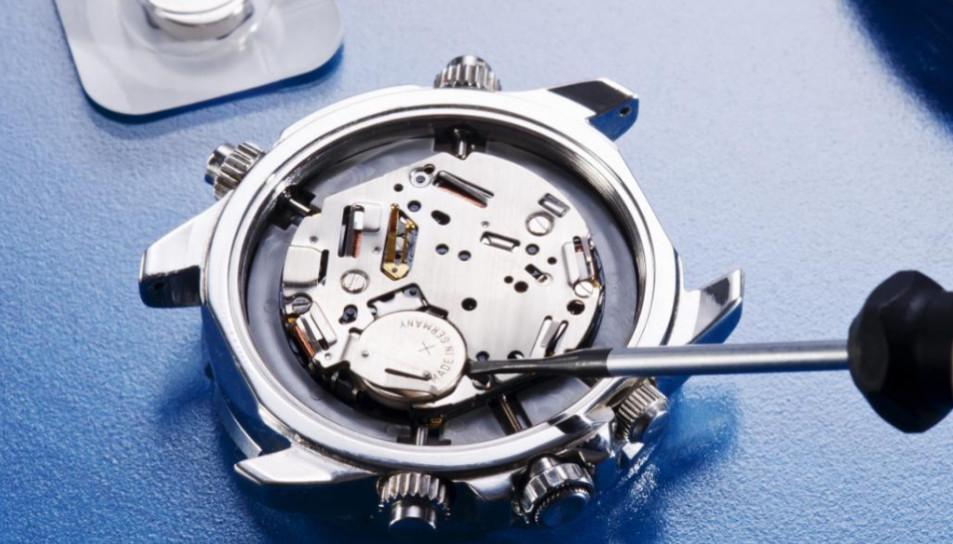
- How to replace the battery on a computer motherboard?
- How much does a motherboard battery cost?
What kind of battery is in the computer motherboard?
Often, after opening the battery compartment on a PC or laptop, a user notices a round battery. It is usually called cr2032This type is used both on Asus boards and on motherboards from other manufacturers.
Types of power supplies used on motherboards
- cr2032 – capacity of about 230 mA. This number is widespread.
- cr2025 – It's thinner, so you'll have to put something underneath to insert it. The capacity is 150 mA. It's better to use the first type.
- cr2016 - capacity90 mA. This brand of CMOS motherboard battery is too thin and therefore will not fit all motherboards.
But the most suitable for most computers will be cr2032for the motherboard. You can find its replacement in the article CR2032 battery and its analogs.
If you're unsure how to choose a battery for your motherboard, it's simple. You can go to the store with your old power supply and ask the salesperson to give you the exact same one you had.
It is best to give your choice to the element that has a high capacity.
Perhaps someone is wondering whether the motherboard battery is a rechargeable one or a rechargeable one? 99% of the time, it's a standard lithium-ion battery. But you can also find a rechargeable and reusable battery. If it lasts more than 10 years, it's a very good value.
To find out what type of power source you have, you'll have to do a little disassembly of your computer. With larger PCs, it's as simple as unscrewing a couple of screws and removing the cover. With laptops, however, everything can be hidden deep inside.
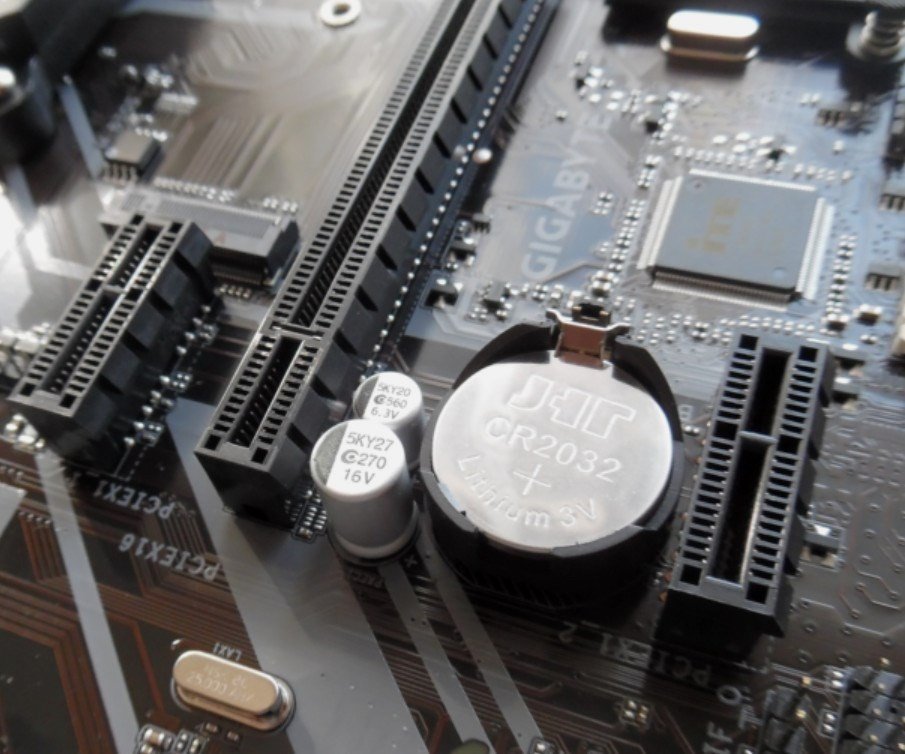
Sometimes it happens that a motherboard doesn't have a battery, which is an unpleasant surprise. Apparently, the manufacturer forgot to include one or decided to cut corners. Therefore, be careful when purchasing. Unfortunately, when buying a motherboard online, it's impossible to check whether it includes a battery. If you're saving 100-200 rubles, it's better to buy a motherboard at your local tech store.
What is the battery on a computer motherboard for?
It allows a special program to control the date and time. It also helps maintain the BIOS. In newer personal computers, this element is used to maintain the time. BIOS or UEFI settings are not dependent on a power source. In older PCs, this is the case, requiring a power source for the electronic memory.
These days, most manufacturers produce machines with non-volatile memory. This ensures that the memory is not erased even without a battery. However, the CR 2032 is still needed to keep the system clock running. This clock runs even while the boards are in storage, so it affects the time.
Now you know why a battery is needed on a motherboard.
Will the computer work without a battery on the motherboard?
The PC will generally function, but not always, depending on the motherboard. Sometimes it may not even turn on. The time and date will be reset, and an error will occur. You'll have to reset the time settings every time you turn on the computer. Additionally, you may experience glitches, such as freezing. All BIOS settings will be reset to defaults. Your password may be lost.
The system may not start if it's installed on your C drive. You'll have to start it manually. Incorrect date and time will invalidate the software license, causing it to fail to launch. Accessing social media will also be difficult.
How many volts is the battery on the motherboard?
The motherboard battery voltage is 3 V. This voltage allows the device to remain operational for a sufficiently long time.
Motherboard battery size
The diameter is 20 mm, the height is 3.2 mm. But it all depends on the battery type.
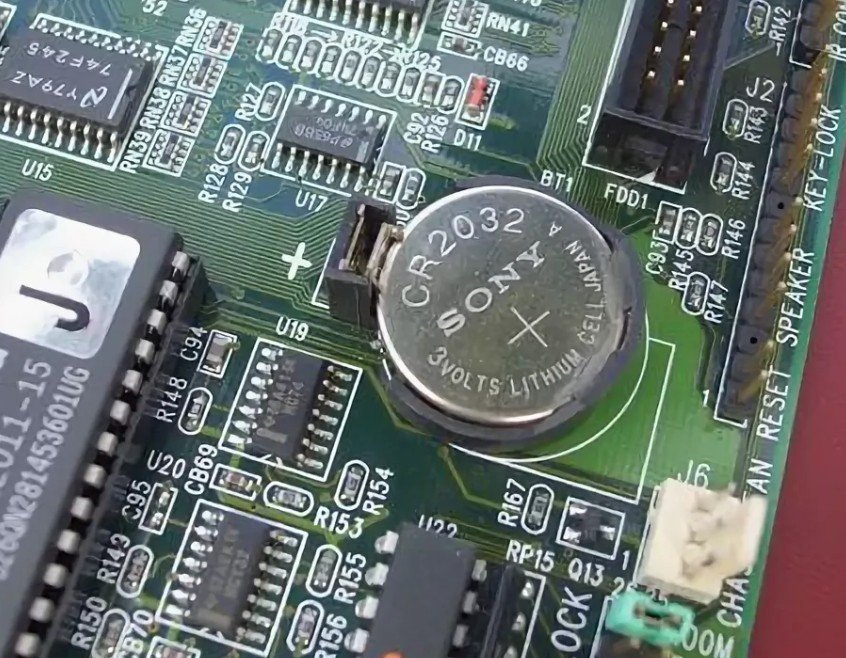
What does the battery look like on the motherboard?
Below is a photo of the power supply element.
How long does the battery in the motherboard last?
This power source doesn't run out of power quickly. It can last up to 5-10 years.
How to check the battery on the motherboard?
To test a power supply, you'll need a multimeter. This device measures resistance, voltage, current, continuity, capacitance, and more. To determine whether the motherboard will operate from the power supply, simply measure its voltage. If it reads 2.5 volts, it's best to replace the power supply.
The battery on the motherboard is checked as follows.
Step #1.
Move the meter to the voltage measurement position.
Step #2.
Place the two probes on the battery terminals. It's best to attach the red one to the positive terminal and the black one to the negative. If you do it the other way around, that's okay. The device will show voltage, but only the negative value.
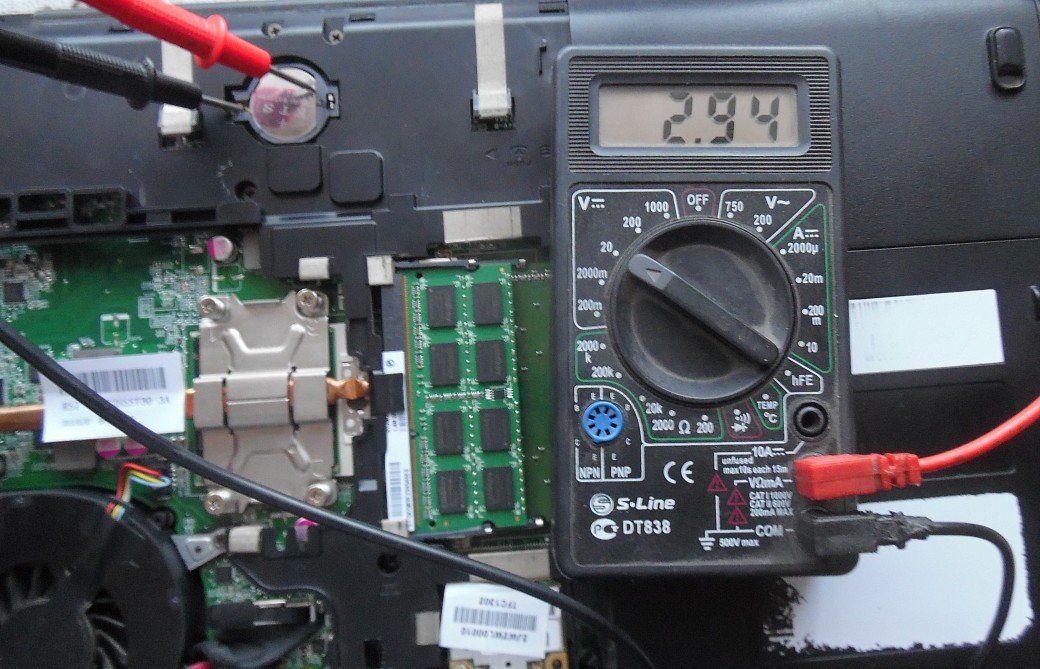
If the battery in the motherboard has a low voltage, for example, 2.5-2.7, then it is best to replace it.
Where is the battery located on the motherboard in a computer?
The power supply element on the Asus Z170-K motherboard is immediately noticeable. It's circled in red in the image below.
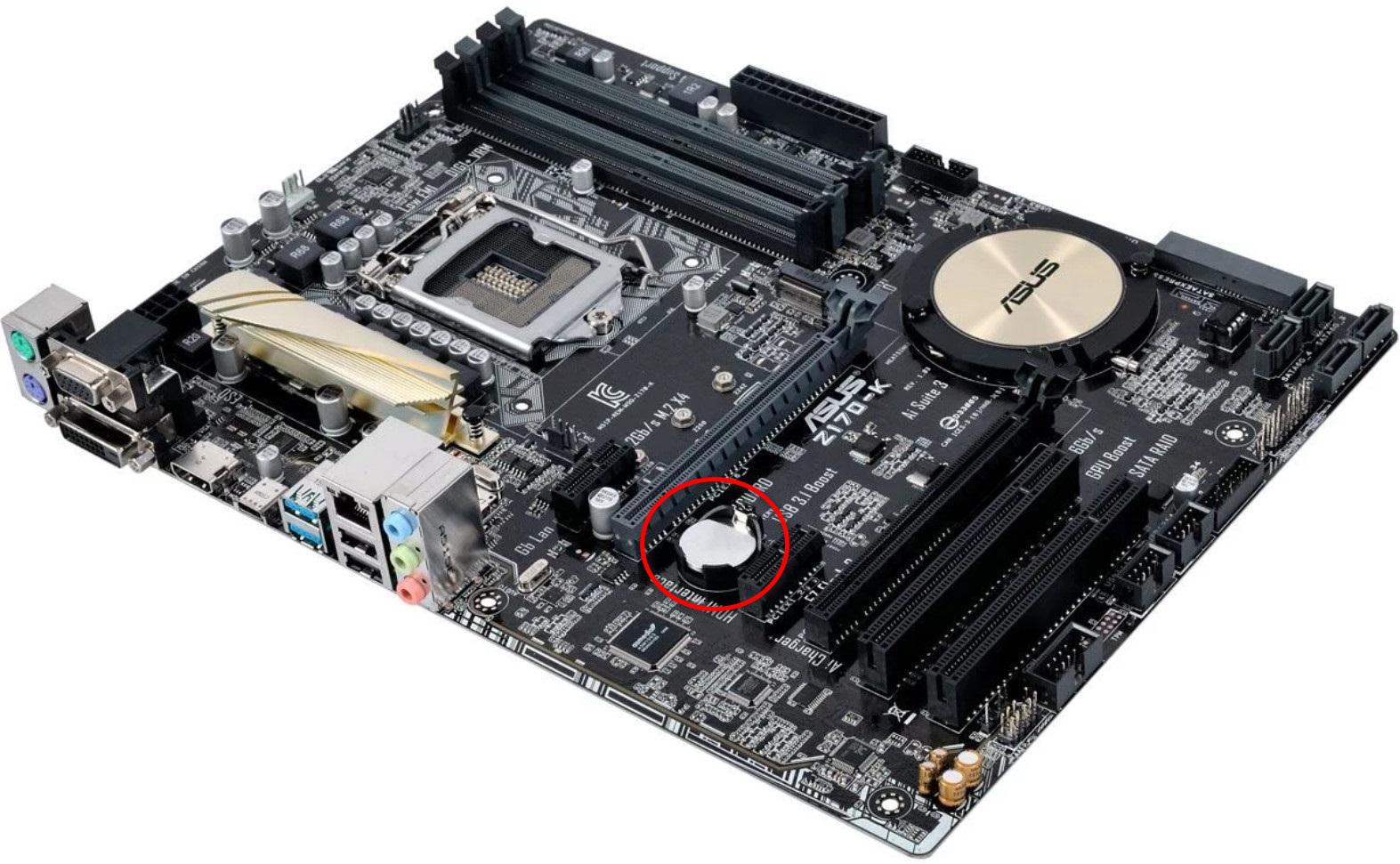
As you can see, the battery is securely installed on the board and is ready for use. In a portable laptop, it will also be visible after opening the lid. In rare cases, this component may be hidden.
The power supply is typically installed in the lower right corner, but on some motherboards it may be on the left. Power connectors, such as 24-pin and 20-pin, as well as a video card slot, may also be located nearby. However, this placement is not typical for all motherboards.
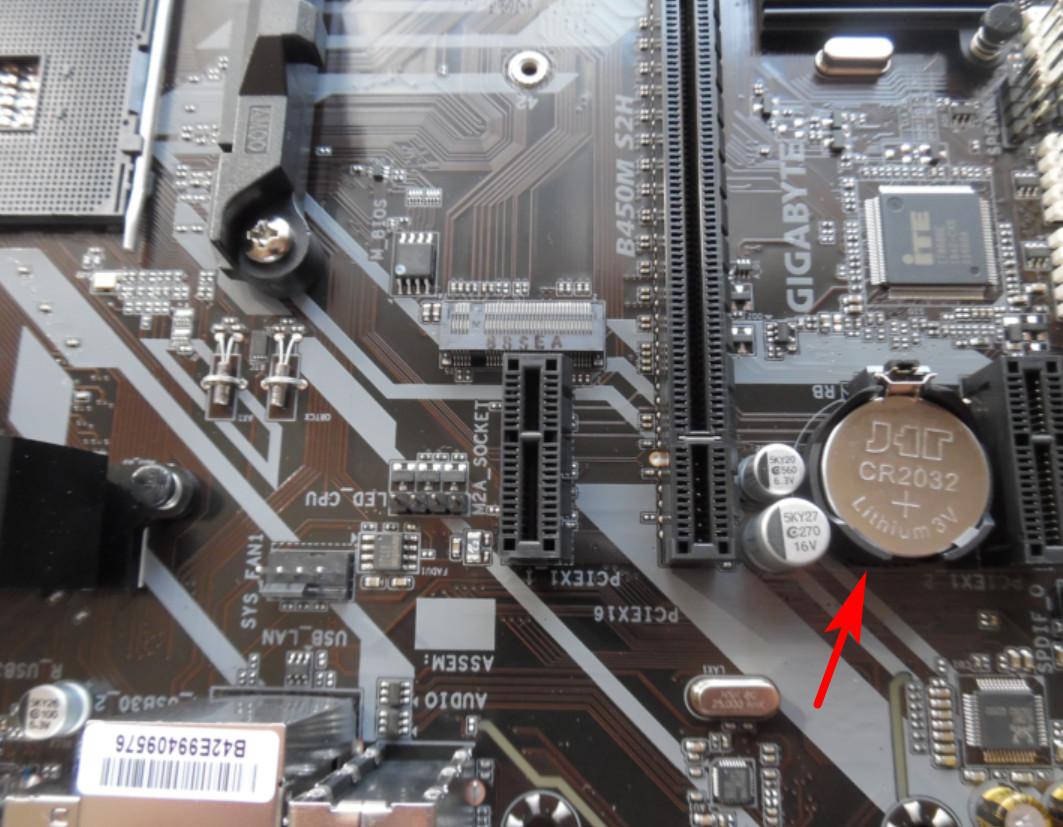
A video card installed nearby may interfere, so you will have to remove it before replacing it.
When to change the battery on the motherboard?
Do I need to replace the battery in my microcontroller? Yes, I do if:
- The battery is swollen.
- The voltage dropped below 2.7 - 2.8 volts.
- When rebooting, the date and time are reset.
- The system does not boot.
- The BIOS settings have been reset to factory settings.
- When opening browsers, a warning pops up stating that the certificate has expired.
- The antivirus program complains that the antivirus databases are out of date.
- Various programs do not start.
- System error messages are popping up, especially CMOS errors.
- The appearance of the unloading window is changed.
- During loading, a request appears to press a button to continue loading.
But the most common symptom of battery failure is a date and time error. In this case, the motherboard battery needs to be replaced. How often should it be replaced? Typically, this happens every 5-10 years.
How to replace the battery on a computer motherboard?
Replacing the battery is quite simple. Before changing the power supply, enter the BIOS and write down all the settings on a piece of paper. Or take a photo of them. To access the BIOS, press the reset button and hold the Delete key. Removing the battery will reset the settings.
7 steps for proper installation:
- Unplug the computer, turn off the power, and disconnect all cables. This will allow for easier removal of the component.
- To remove the battery from the motherboard, take a Phillips screwdriver and unscrew the case.
- It is advisable to replace the battery while wearing an antistatic bracelet or touching the body with one hand.
- If the battery is in a hard to reach place, then you will have to remove the motherboard.
- To remove the battery, press the latch on the side. Use tweezers or your hand to pull the battery out.
- Install the new power source. Place it with the "+" side facing up.
- Secure the power source by pressing it lightly with your finger.
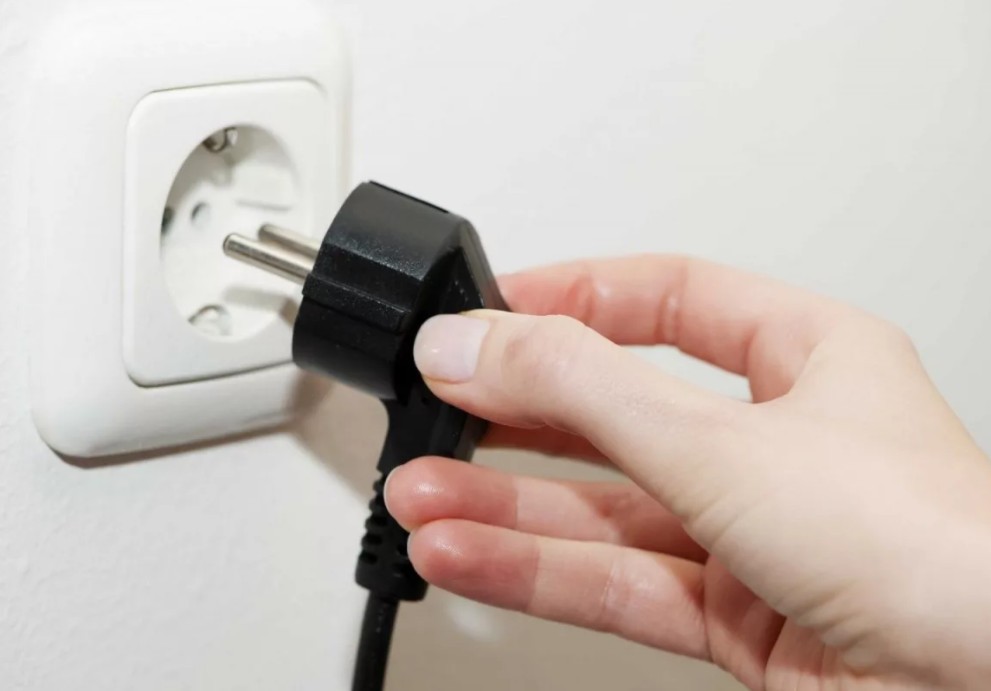
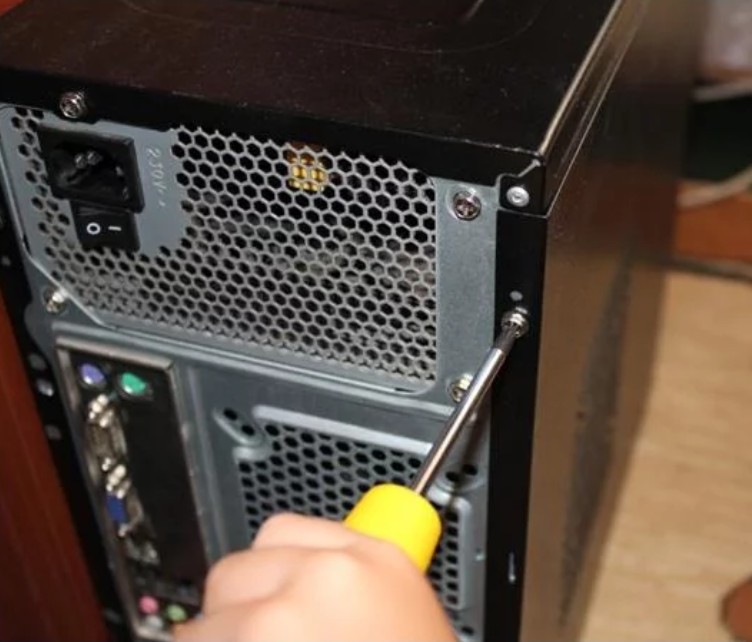

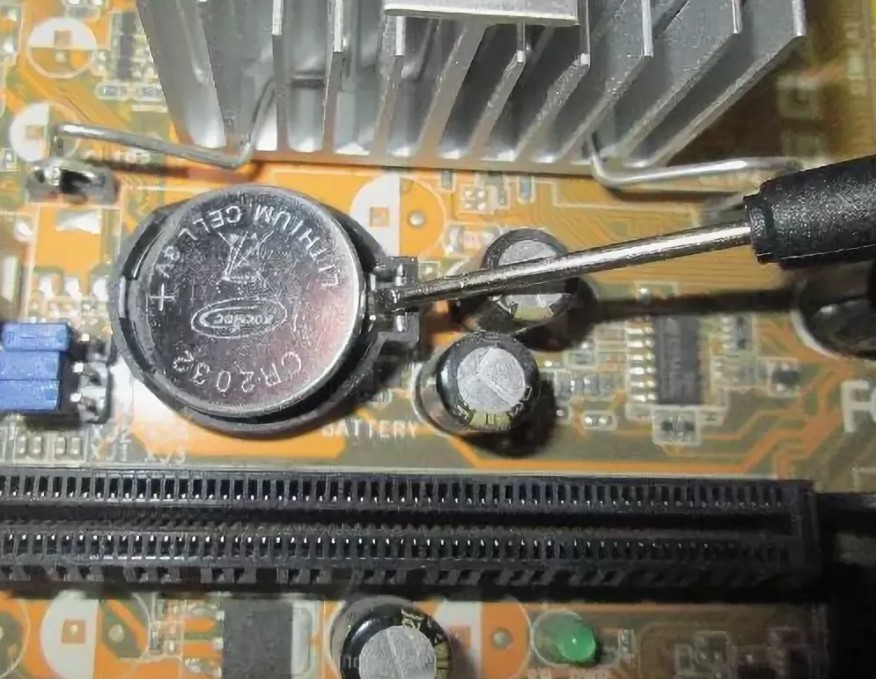
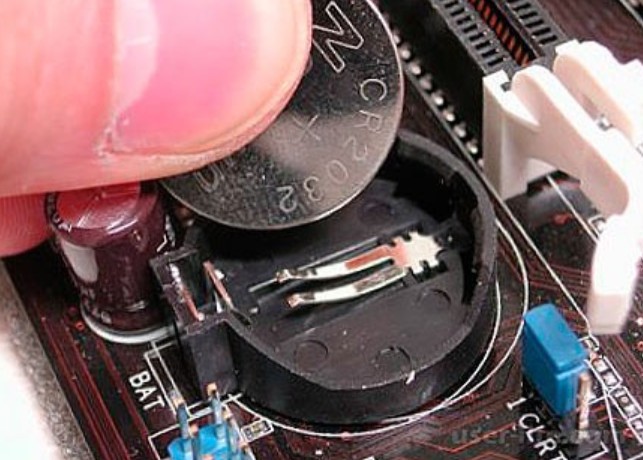
This way you will insert the battery into the motherboard correctly.
Video:
How much does a motherboard battery cost?
Prices vary widely across retail outlets. Typically, a battery like this can be purchased for 50-100 rubles. A rechargeable battery will cost several times more. However, it's rechargeable, extending its lifespan.